Putting the into Reproducible (Marine) Research

Marine Biology Live - 12th Dec 2023

Dr Anna Krystalli

👋 Hello

me: Dr Anna Krystalli

  • Research Software Engineer, R-RSE

    • mastodon annakrystalli@fosstodon.org
    • github @annakrystalli
    • email r.rse.eu[at]gmail.com
  • Background in Marine Macroecology

  • Editor rOpenSci

  • Core Team: ReproHack


slides: bit.ly/r-in-repro-research-mba

Motivation

Calls for reproducibility

Reproducibility has the potential to serve as a minimum standard for judging scientific claims when full independent replication of a study is not possible.
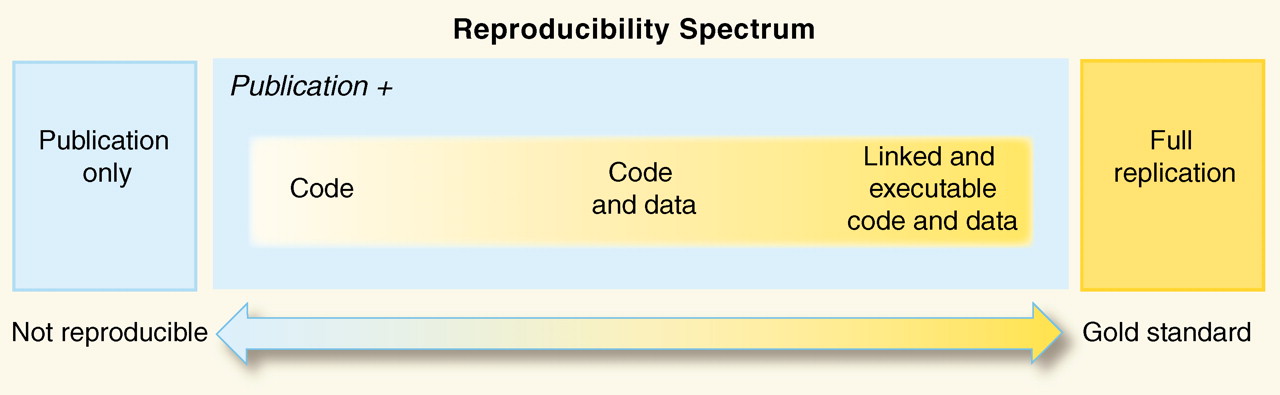

Reproducible Research in Computational Science ROGER D. PENG, SCIENCE 02 DEC 2011 : 1226-1227

Is code and data enough?
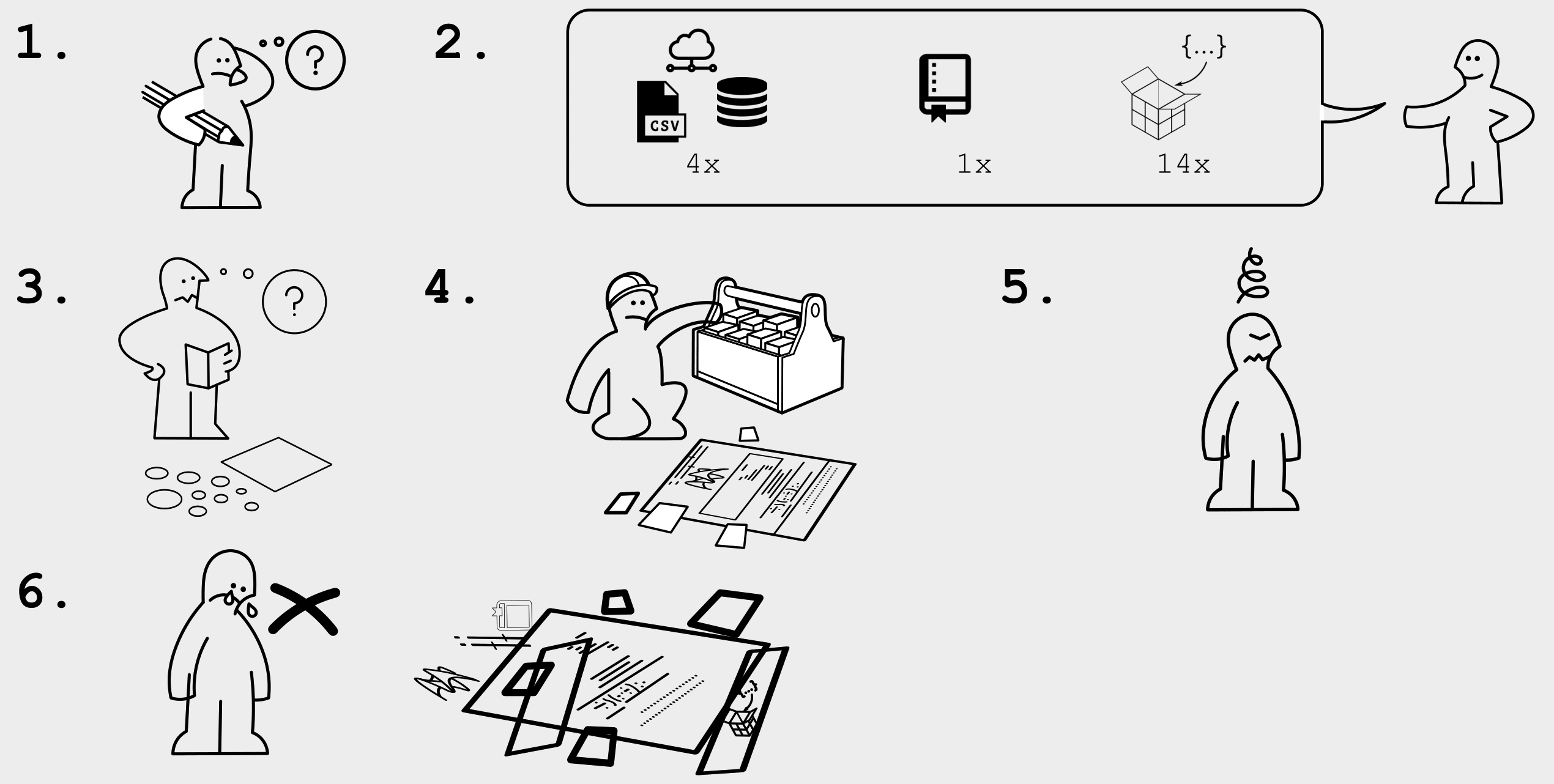
Karthik Ram: rstudio::conf 2019 talk

R for Open Reproducible Research

A whistle-stop tour of tools, practices and conventions in R for more:

  • Reproducible

  • Robust

  • Transparent

  • Reusable

  • Shareable research materials

Project management

Icon by Freepik from flaticon.com

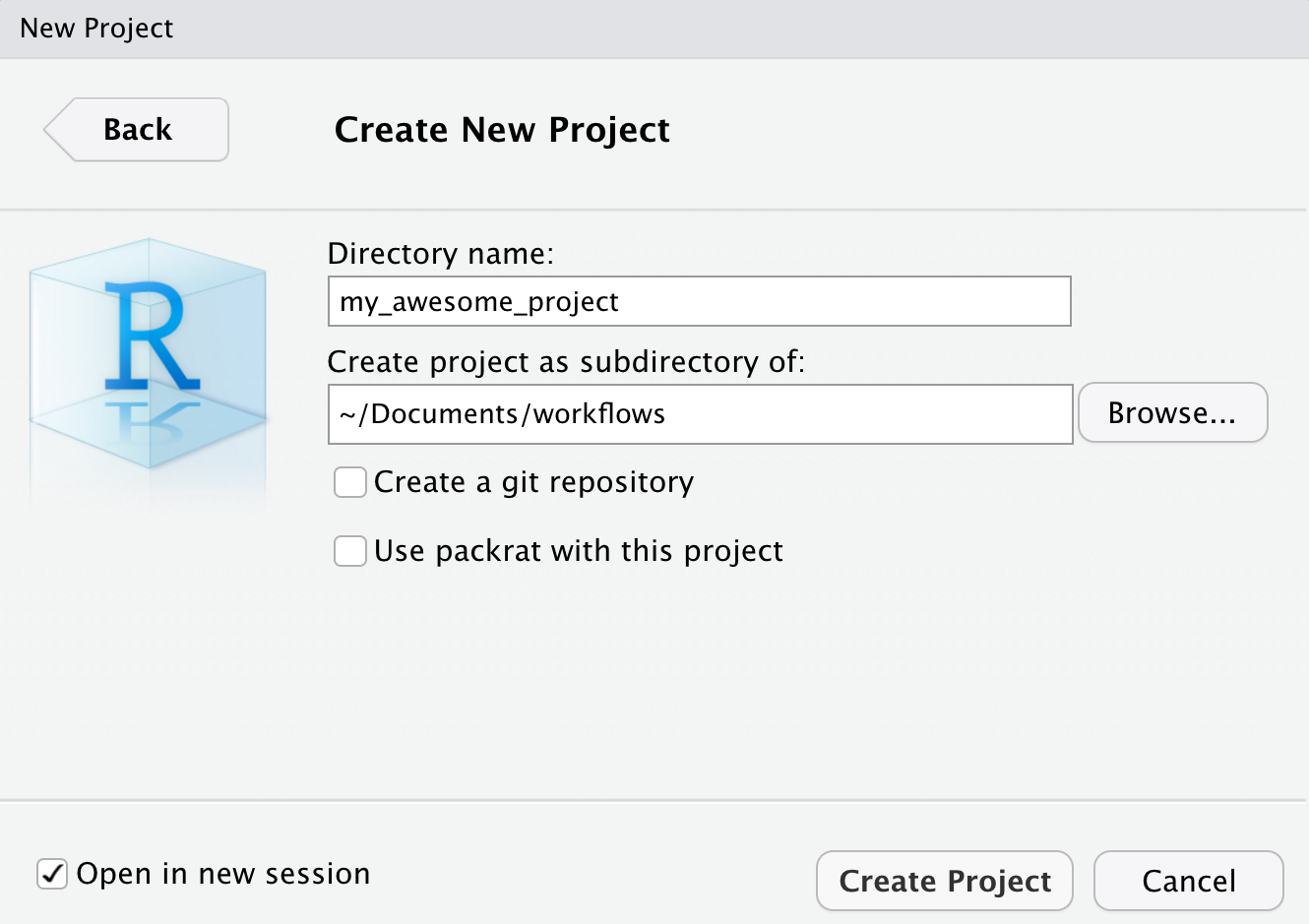
Rstudio Projects

Use Rstudio projects to keep materials associated with a particular analysis together


  • Self contained and portable
  • Working directory set to root of project on launch
  • Fresh session everytime the project is launched

File > New Project > New Directory
📦 here

Use 📦 here to create robust relative paths


Robust paths relative to project root

  • portable
  • independent of:
    • working directory
    • source code location
here::here()
[1] "/Users/Anna/Documents/workflows/talks"
here::here("data", "summaries.csv")
[1] "/Users/Anna/Documents/workflows/talks/data/summaries.csv"

Dependency management

Minimal approach

include session info
sessionInfo()
include an install.R script
install.packages("dplyr")
install.packages("purrr")

Most robust approach

use 📦 renv (previously packrat)
  • Create and manage a per project library of packages
  • initialise during project set up
# initialize a project-local private R library with those packages and snapshot dependencies through lockfile
renv::init() 
#create a lockfile capturing the state of a project's R package dependencies
renv::snapshot() 
 # Restore a project's dependencies from a lockfile
renv::restore()

will revisit later on

Version Control

Version Control

What is it? 🤔

The management of changes to documents, computer programs, large web sites, and other collections of information.

Git

Open source (free to use) Version control software.

GitHub

A website (https://github.com/) that allows you to store your Git repositories online and makes it easy to collaborate with others.

Why use them in research?

Exhibit A
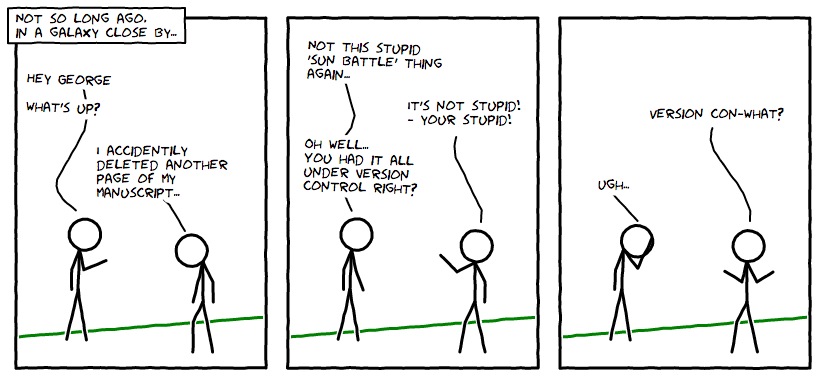
Image: xkcd CC BY-NC 2.5

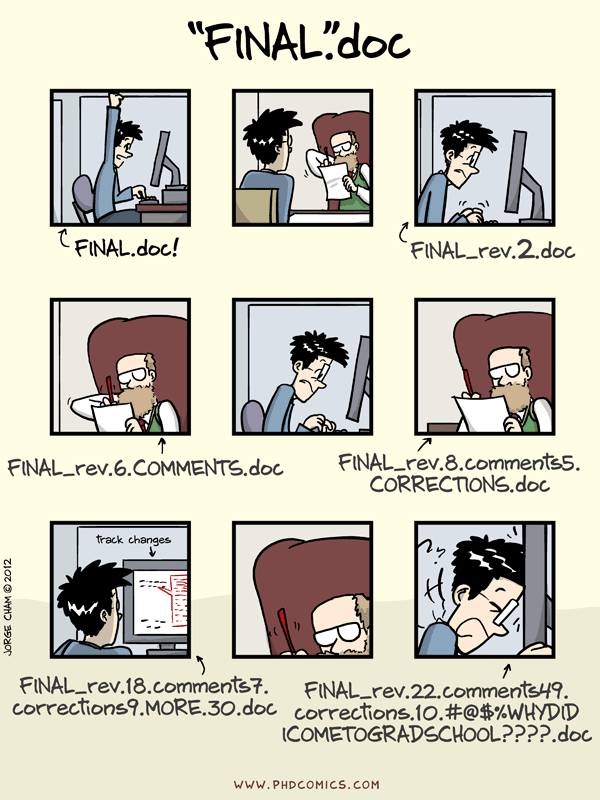
Exhibit B

Image: “Piled Higher and Deeper” by Jorge Cham www.phdcomics.com

Git, Github & Rstudio

Before: git only through the terminal 😢

. . .

Now: Rstudio + usethis 📦 == ❤️ Git & GitHub 🤩

Initialise git

Initialise Rstudio project with Git by just checking a box!
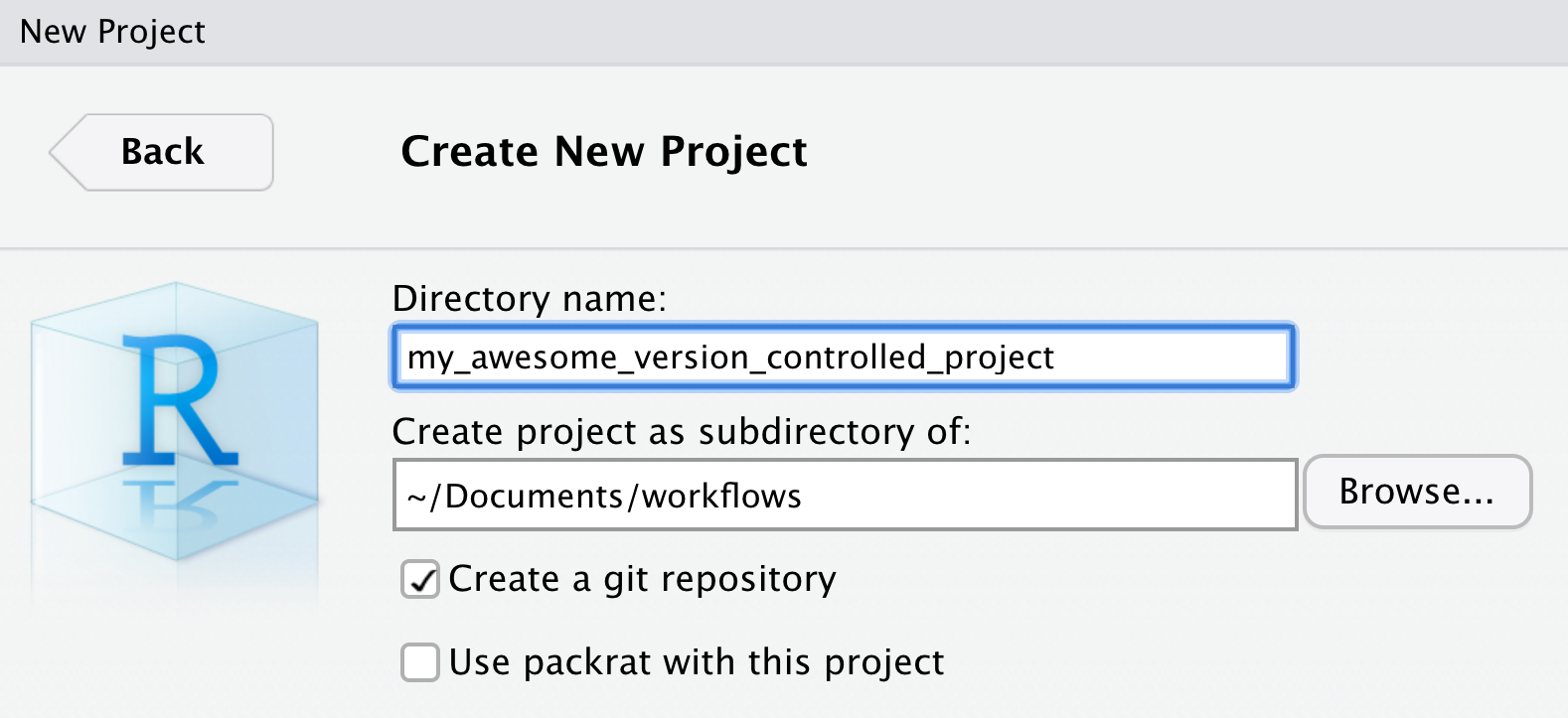
It’s now a repository


Forgot to check git box? use usethis::use_git()

Git panel

Integrated graphical user interface
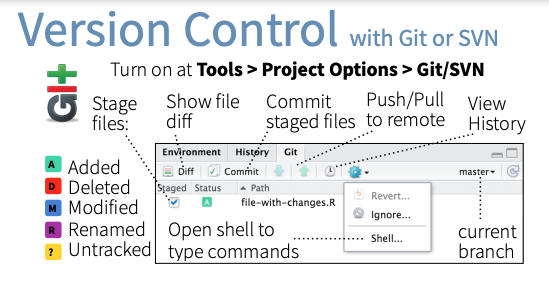

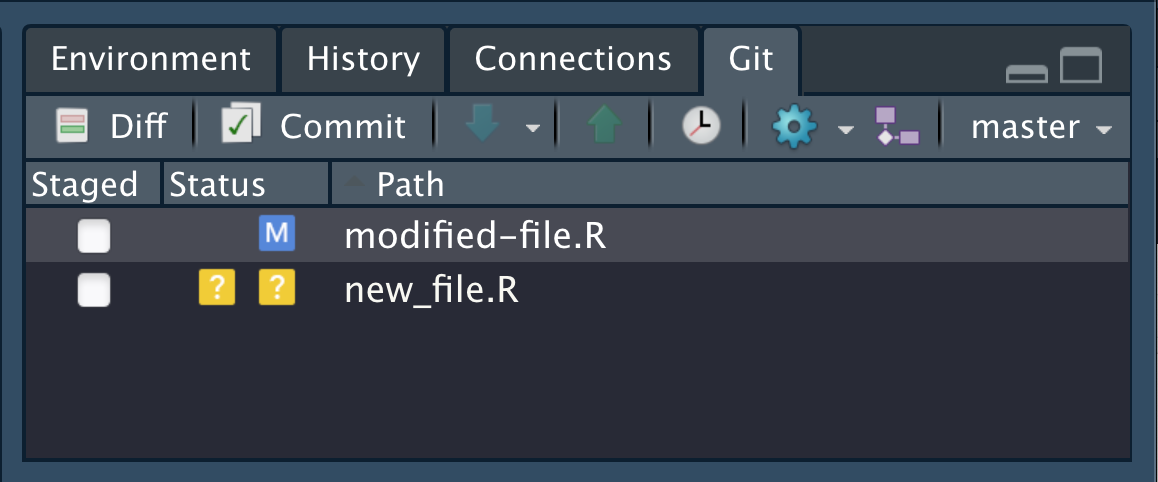
Git Rstudio workflow

view file status
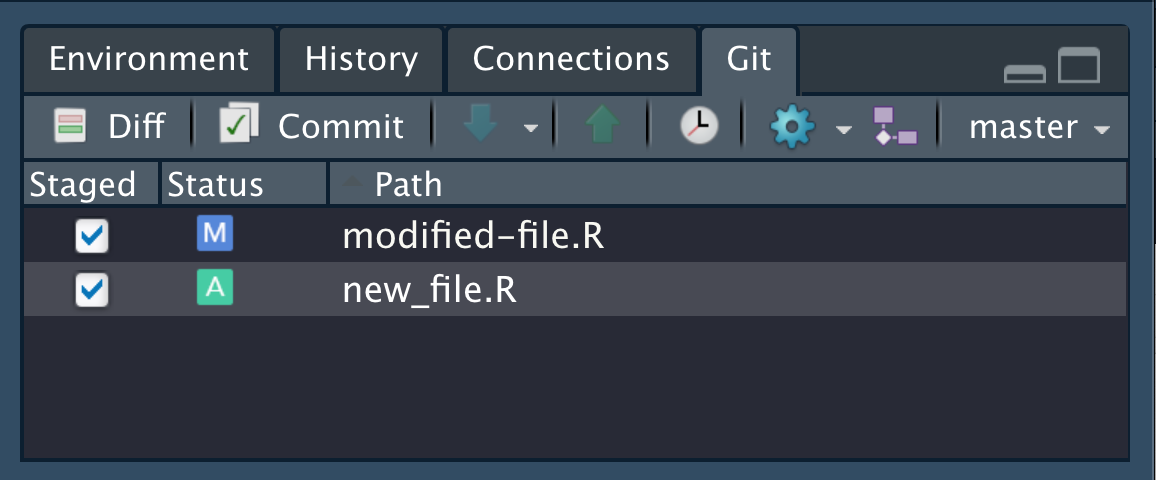
stage files
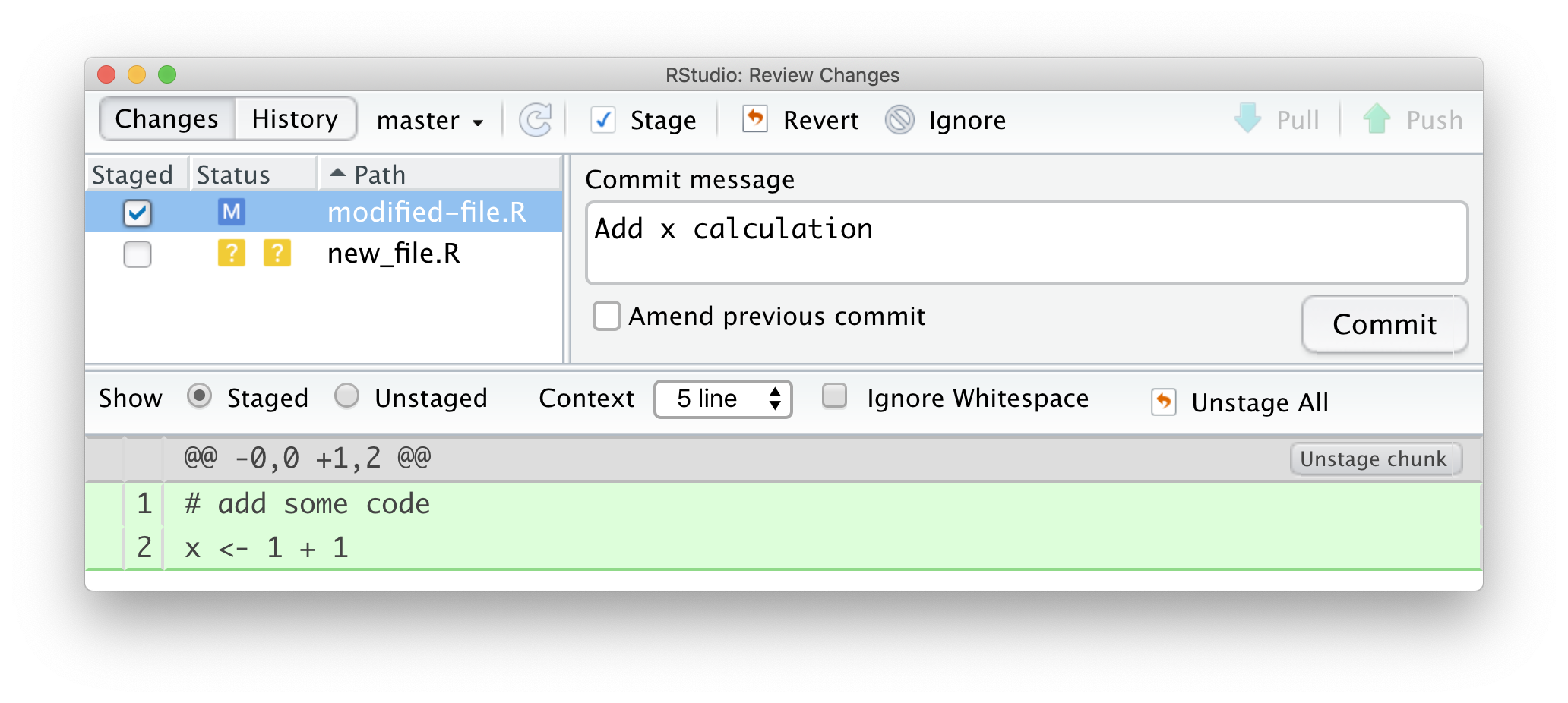
commit changes
Share on GitHub
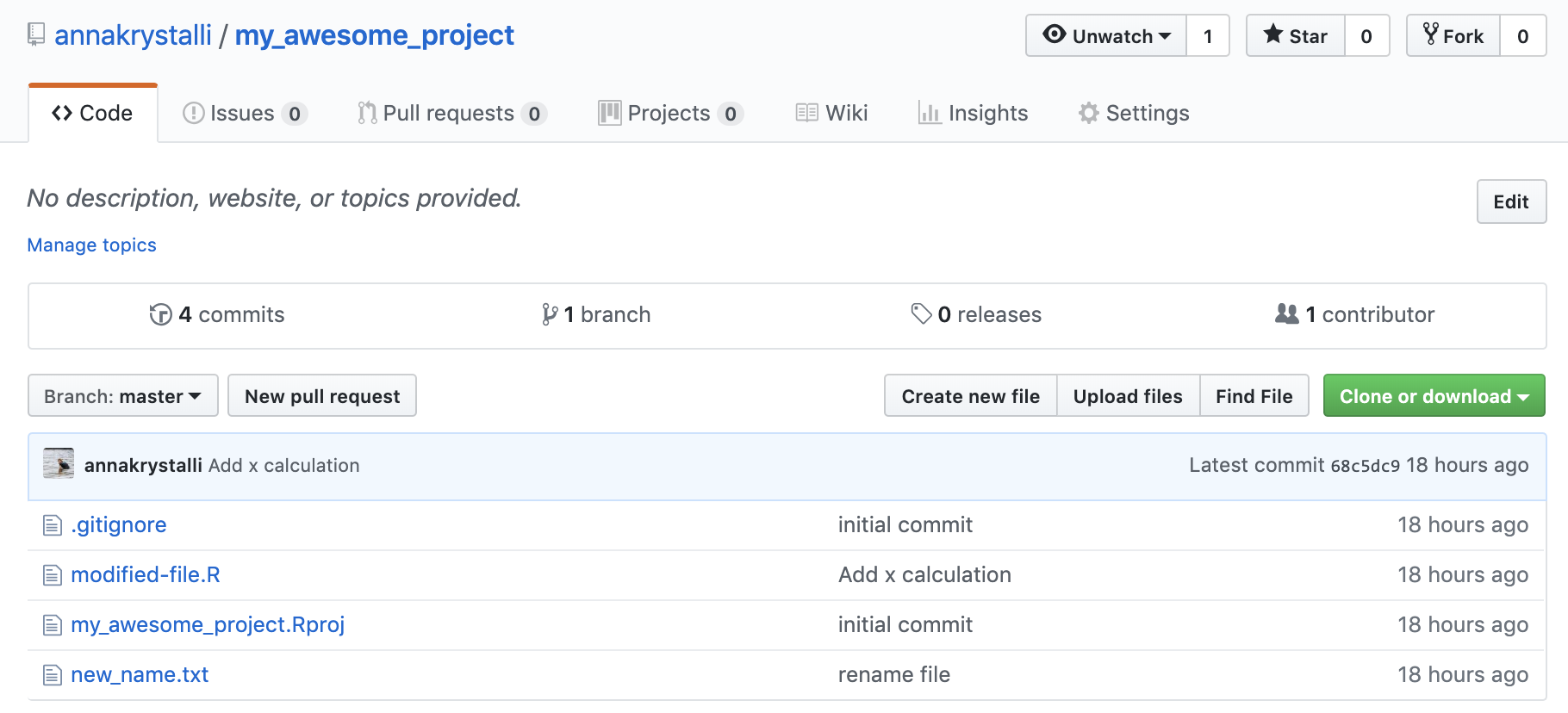
Create repo

usethis::use_github(protocol = "https")

Push further changes

Anatomy of a GitHub Repo

  • README. Explain what your project is, and how to use it.
    • usethis::use_readme_md()
    • usethis::use_readme_rmd()
  • LICENSE. Without a licence, the contents of the repository are technically closed.
    • Examples licence MIT: usethis::use_mit_license(name = "Anna Krystalli")
    • ?licenses: details of functions available to generate licenses
    • https://choosealicense.com/ help on choosing a licence.
  • CONTRIBUTING.md - guidelines for contributors.
    • usethis::use_tidy_contributing() provides a relatively strict but instructive template
  • CODE_OF_CONDUCT.md set the tone for discourse between contributors.
    • use_code_of_conduct()

GitHub issues

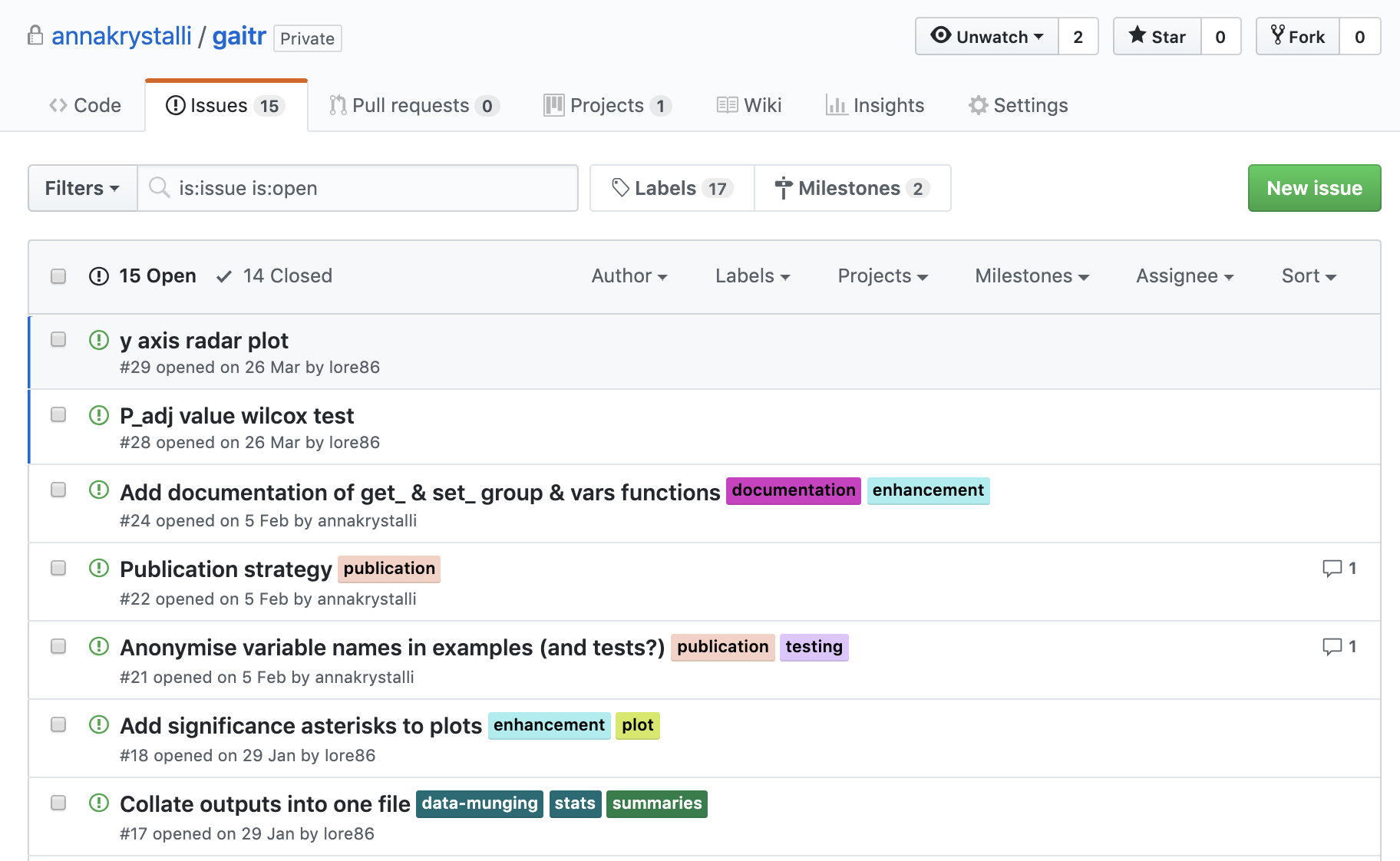
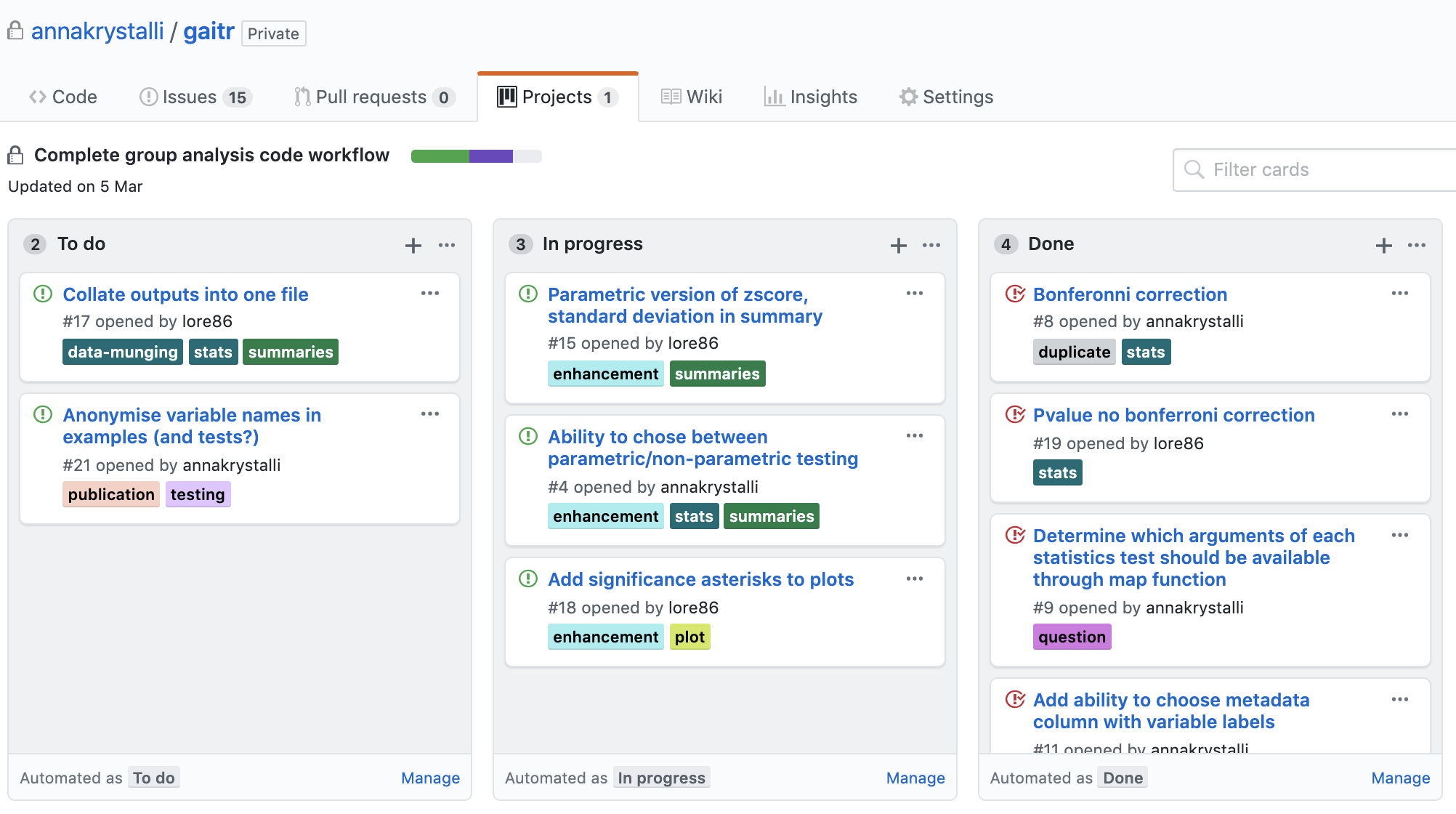
use GitHub issues to plan, record and discuss tasks.

issues
projects
Literate programming with Quarto or Rmarkdown

Literate programming

Programming paradigm first introduced by Donald E. Knuth.

Treat program as literature to be understandable to human beings

  • focus on the logic and flow of human thought and understanding
  • single document to integrate data analysis (executable code) with textual documentation, linking data, code, and text

Literate programming in R

Quarto (qmd or Rmarkdown .Rmd) integrates:

  • a documentantion language (.md)

  • a programming language (R, python, SQL)

  • functionality to “knit” (render) them together through 📦 knitr


features

  • ✅ provides a framework for writing narratives around code and data

  • ✅ Code re-run in a clean environment every time the document is rendered

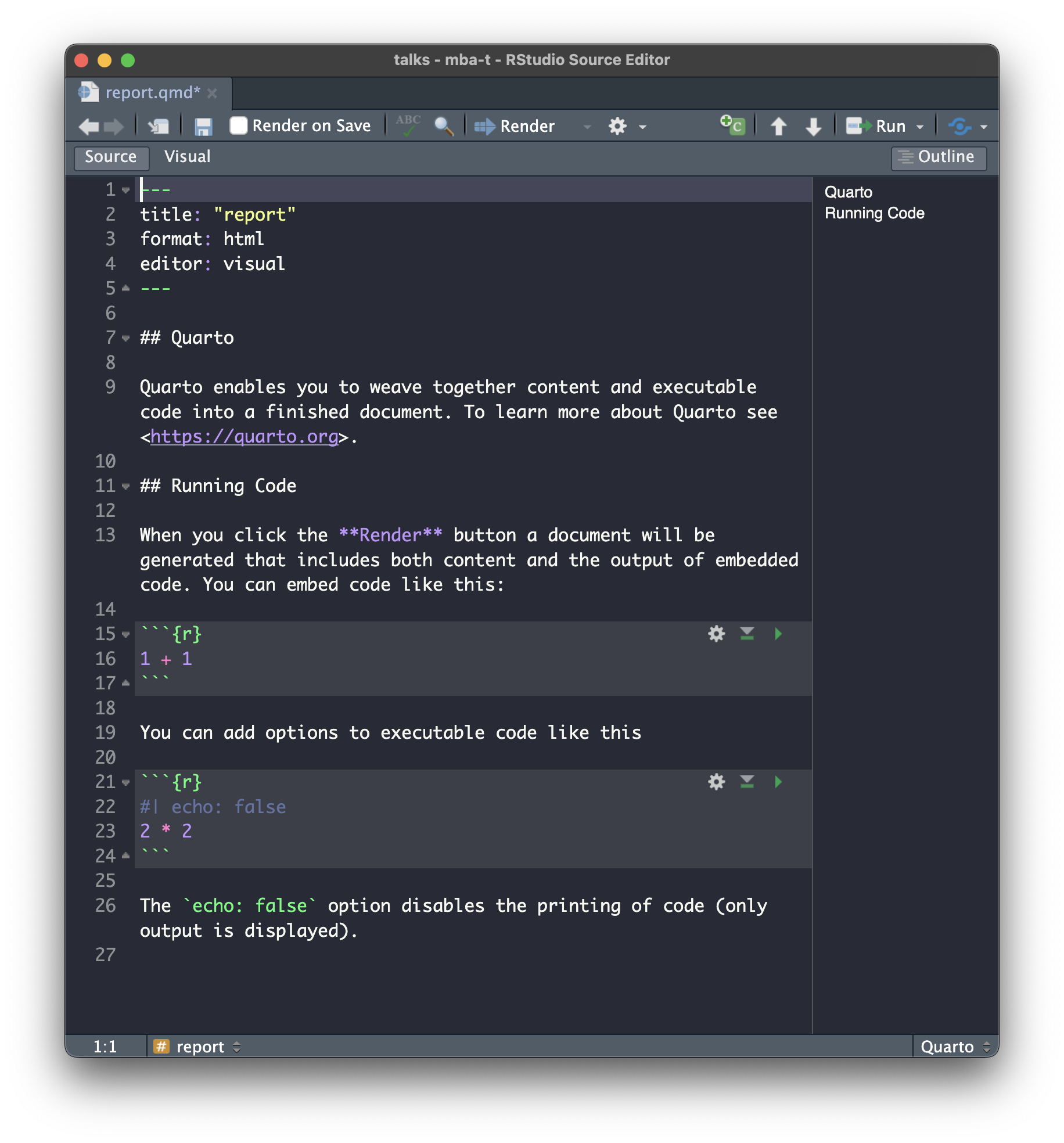
Quarto out

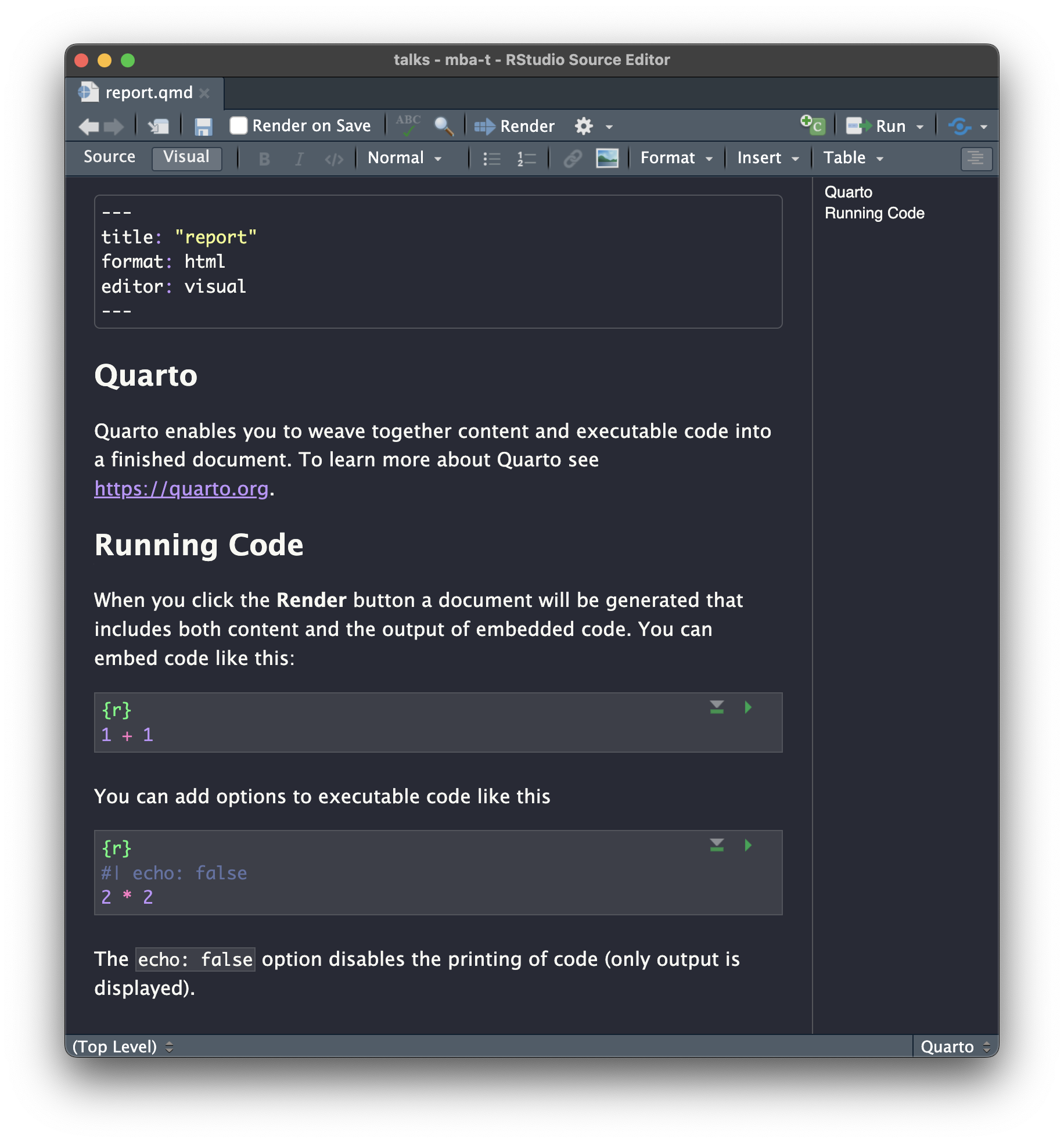
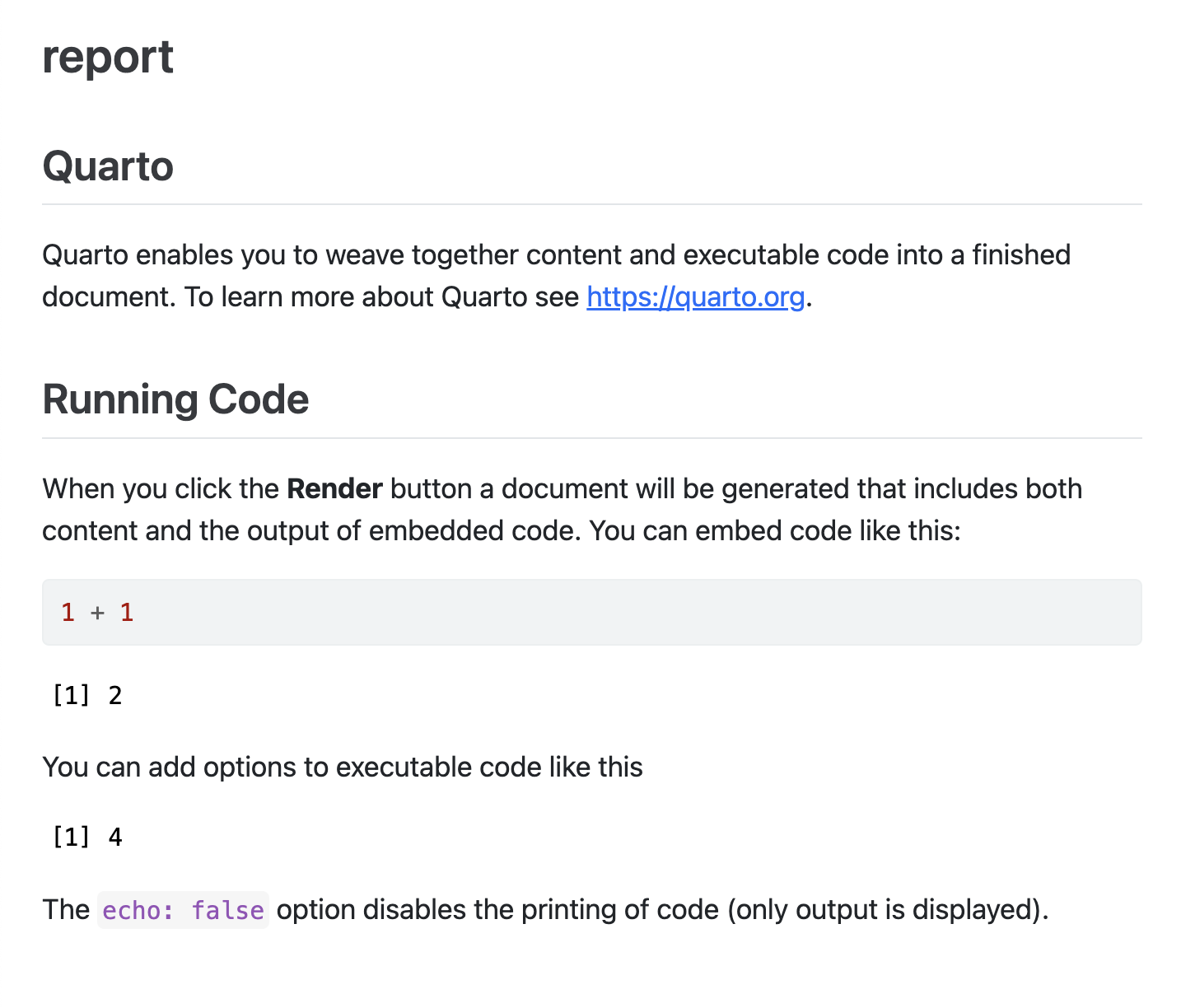
Quarto to html

File > New File > Quarto Document
Applications in research


  • Documentation of code & data
  • Electronic Notebooks
  • Supplementary materials
  • Reports
  • Papers
  • Theses, Slides, websites, ebooks and more!

Quarto Features for Scientific Publishing
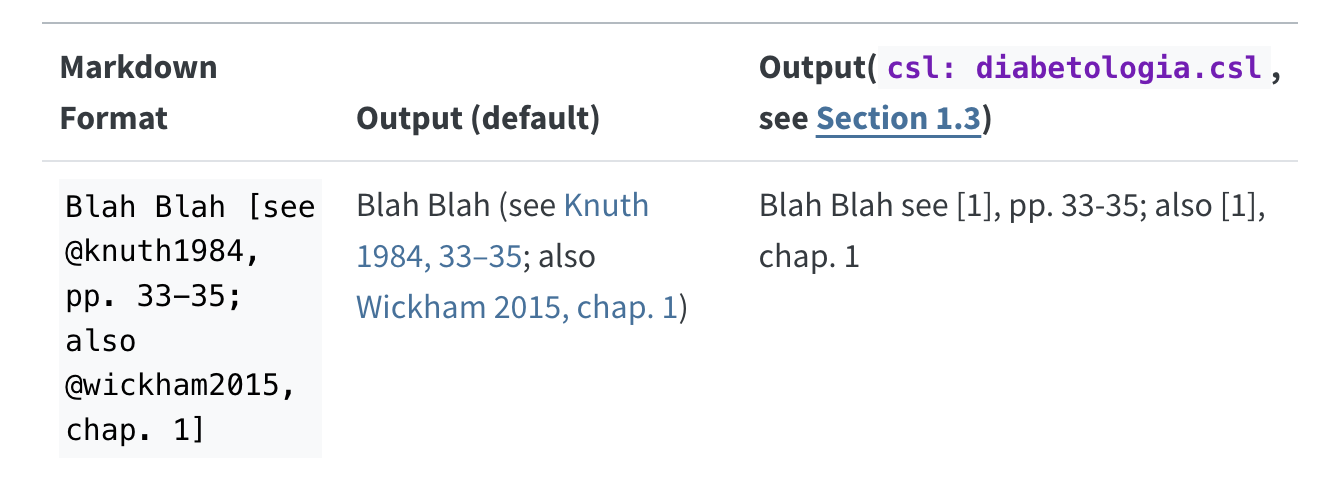
See more

---
title: "Toward a Unified Theory of High-Energy Metaphysics: Silly String Theory"
date: 2008-02-29
author:
  - name: Josiah Carberry
    id: jc
    orcid: 0000-0002-1825-0097
    email: josiah@psychoceramics.org
    affiliation: 
      - name: Brown University
        city: Providence
        state: RI
        url: www.brown.edu
abstract: > 
  The characteristic theme of the works of Stone is 
  the bridge between culture and society. ...
keywords:
  - Metaphysics
  - String Theory
license: "CC BY"
copyright: 
  holder: Josiah Carberry
  year: 2008
citation: 
  container-title: Journal of Psychoceramics
  volume: 1
  issue: 1
  doi: 10.5555/12345678
funding: "The author received no specific funding for this work."
---
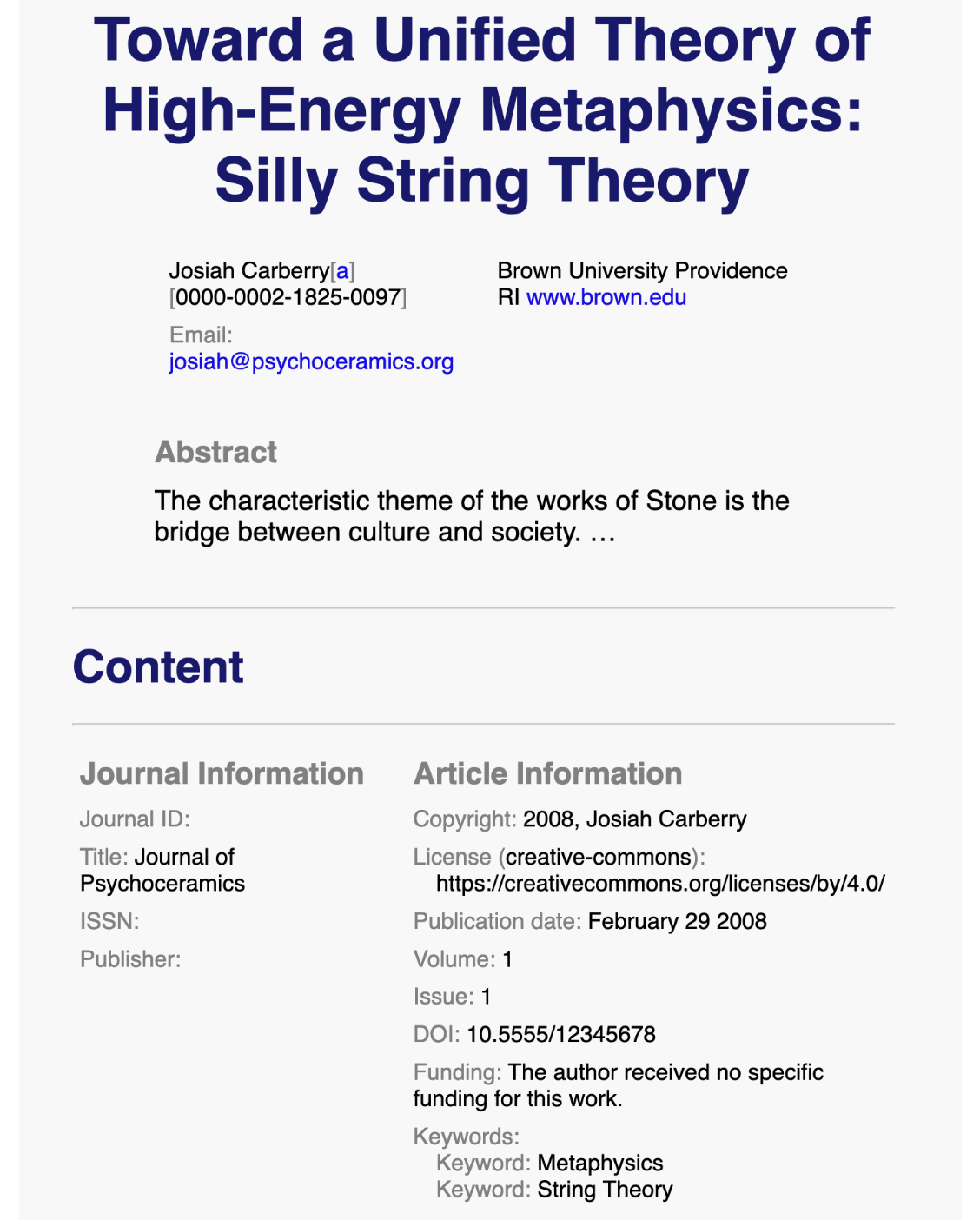
See more

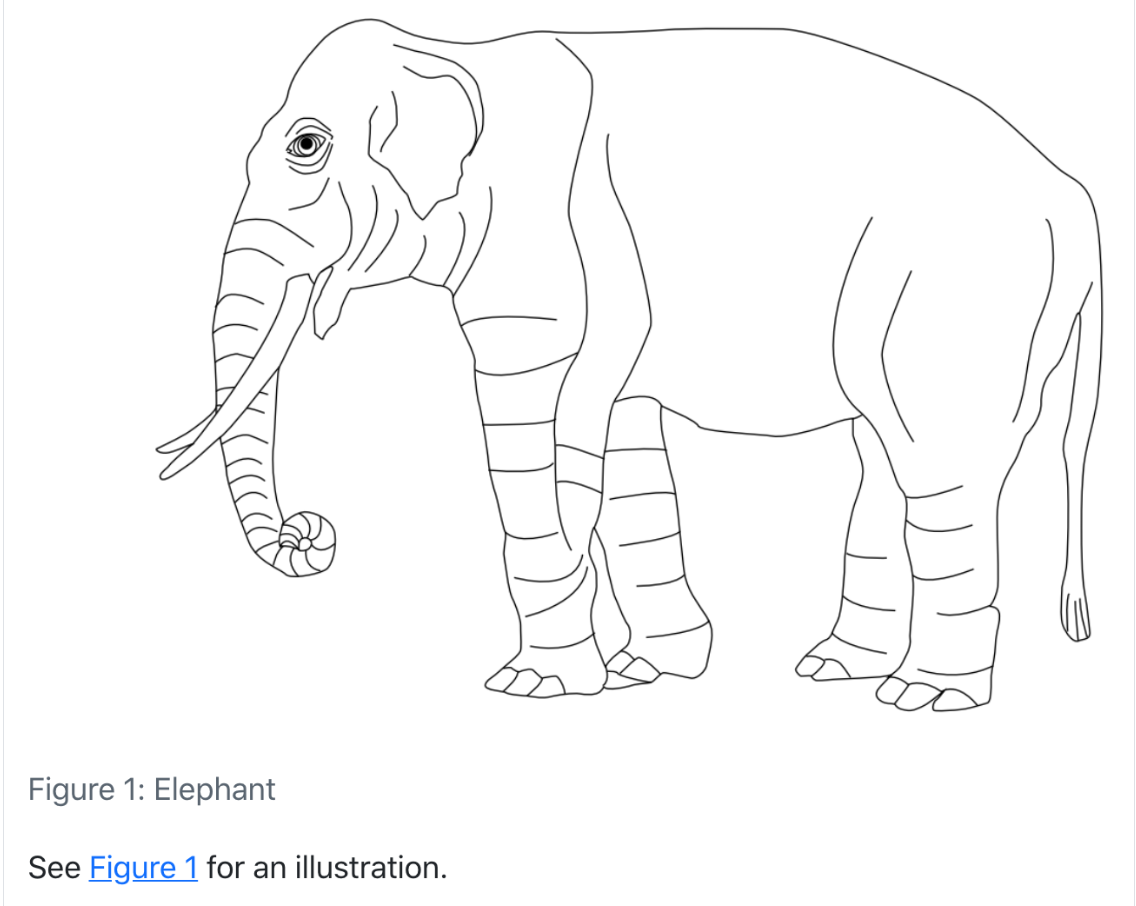
Adding a reference to an image:

![Elephant](elephant.png){#fig-elephant}

Referencing the image:

See @fig-elephant for an illustration.

See more

Publish to the web for free!

https://quarto.org/docs/publishing/

Managing code

Managing analysis code

Separate function definition and application


  • In the beginning: many lines of directly executed code in a single analysis script.

  • As it matures: reusable chunks ➡️ functions.

R Package Structure

Used to share functionality with the R community

  • Useful conventions

  • Useful software development tools

  • Easy publishing through GitHub


R Package conventions:

  • metadata: in the DESCRIPTION file

  • functions in .R scripts in the R/ folder

  • tests in the tests/ folder

  • Documentation:

    • functions using Roxygen notation
    • workflows using .Rmd documents in the vignettes/ folder

DESCRIPTION file

Package metadata

Package: EMODnetWCS
Title: Access EMODnet Web Coverage Service data through R
Version: 0.0.0.9012
Authors@R: c(
    person("Anna", "Krystalli", , "annakrystalli@googlemail.com", role = "aut",
           comment = c(ORCID = "0000-0002-2378-4915")),
    person("Salvador", "Fernández-Bejarano", , "salvador.fernandez@vliz.be", role = "cre",
           comment = c(ORCID = "0000-0003-0535-7677")),
    person("European Marine Observation Data Network (EMODnet) Biology project", "European Commission's Directorate - General for Maritime Affairs and Fisheries (DG MARE)", , "bio@emodnet.eu", role = "cph"),
    person("VLIZ (VLAAMS INSTITUUT VOOR DE ZEE)", , , "info@vliz.be", role = "fnd")
  )
Description: Access and interrogate EMODnet Web Coverage Service data
    through R.
License: MIT + file LICENSE
Imports: 
    checkmate,
    cli,
    curl,
    glue,
    httr,
    magrittr,
    memoise,
    ows4R (>= 0.3-2),
    purrr,
    rlang,
    sf,
    terra,
    tibble
Suggests: 
    covr,
    fs,
    httptest,
    huxtable,
    knitr,
    rmarkdown,
    testthat (>= 3.0.0),
    webmockr,
    withr
Config/testthat/edition: 3
Remotes: 
    eblondel/ows4R
Encoding: UTF-8
Roxygen: list(markdown = TRUE)
RoxygenNote: 7.2.1
URL: https://github.com/EMODnet/EMODnetWCS,
    https://emodnet.github.io/EMODnetWCS/
BugReports: https://github.com/EMODnet/EMODnetWCS/issues
Depends: 
    R (>= 3.3.0)
LazyData: true
VignetteBuilder: knitr
Date: 2022-09-29

citation

citation("EMODnetWCS")

To cite package 'EMODnetWCS' in publications use:

  Krystalli A (2022). _EMODnetWCS: Access EMODnet Web Coverage Service
  data through R_. R package version 0.0.0.9012. Integrated data
  products created under the European Marine Observation Data Network
  (EMODnet) Biology project (EASME/EMFF/2017/1.3.1.2/02/SI2.789013),
  funded by the European Union under Regulation (EU) No 508/2014 of the
  European Parliament and of the Council of 15 May 2014 on the European
  Maritime and Fisheries Fund, <https://github.com/EMODnet/EMODnetWCS>.

A BibTeX entry for LaTeX users is

  @Manual{,
    title = {{EMODnetWCS}: Access EMODnet Web Coverage Service data through R},
    author = {Anna Krystalli},
    year = {2022},
    note = {R package version 0.0.0.9012. Integrated data products created under the European Marine Observation Data Network (EMODnet) Biology project (EASME/EMFF/2017/1.3.1.2/02/SI2.789013), funded by the European Union under Regulation (EU) No 508/2014 of the European Parliament and of the Council of 15 May 2014 on the European Maritime and Fisheries Fund},
    url = {https://github.com/EMODnet/EMODnetWCS},
  }

Functions in R/

example function script

Create a new function .R file in the R/ folder

usethis::use_r("add")
R
└── add.R

0 directories, 1 files

Document functions with Roxygen

Code > Insert Roxygen Skeleton

#' Add together two numbers.
#' 
#' @param x A number.
#' @param y A number.
#' @return The sum of x and y.
#' @examples
#' add(1, 1)
#' add(10, 1)
#' @export
add <- function(x, y) {
  x + y
}
  • Document function inputs (param), outputs (return) and usage by providing examples
  • In packages, create help files on build (autogenerated .Rd files in man/)

tests

Tests provide confidence in what the code is doing.

Example test

usethis::use_test("add")

Creates a tests/ folder with the following files

tests
├── testthat
│   ├── test-add.R
└── testthat.R
test-add.R
test_that("add works", {
  expect_equal(add(2, 2), 4)
})

Research compendia

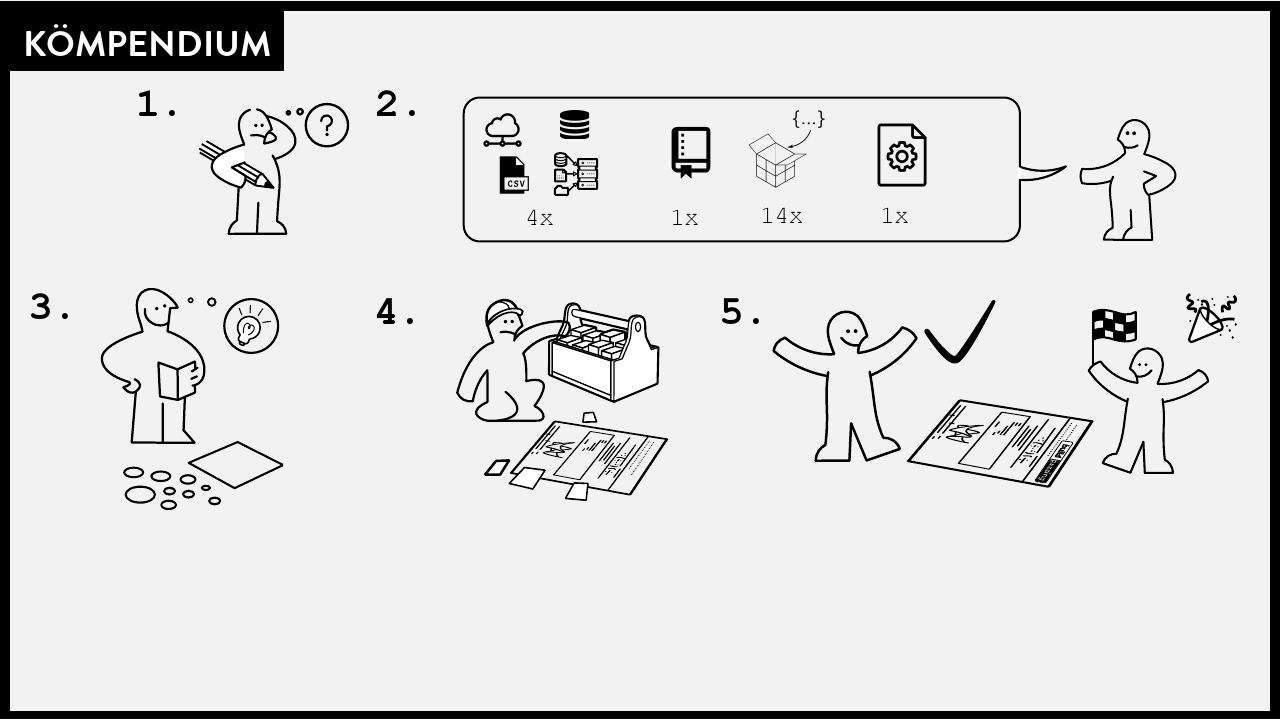
A Research compendium

The paper is the advertisement

“an article about computational result is advertising, not scholarship. The actual scholarship is the full software environment, code and data, that produced the result.

John Claerbout paraphrased in Buckheit and Donoho (1995)

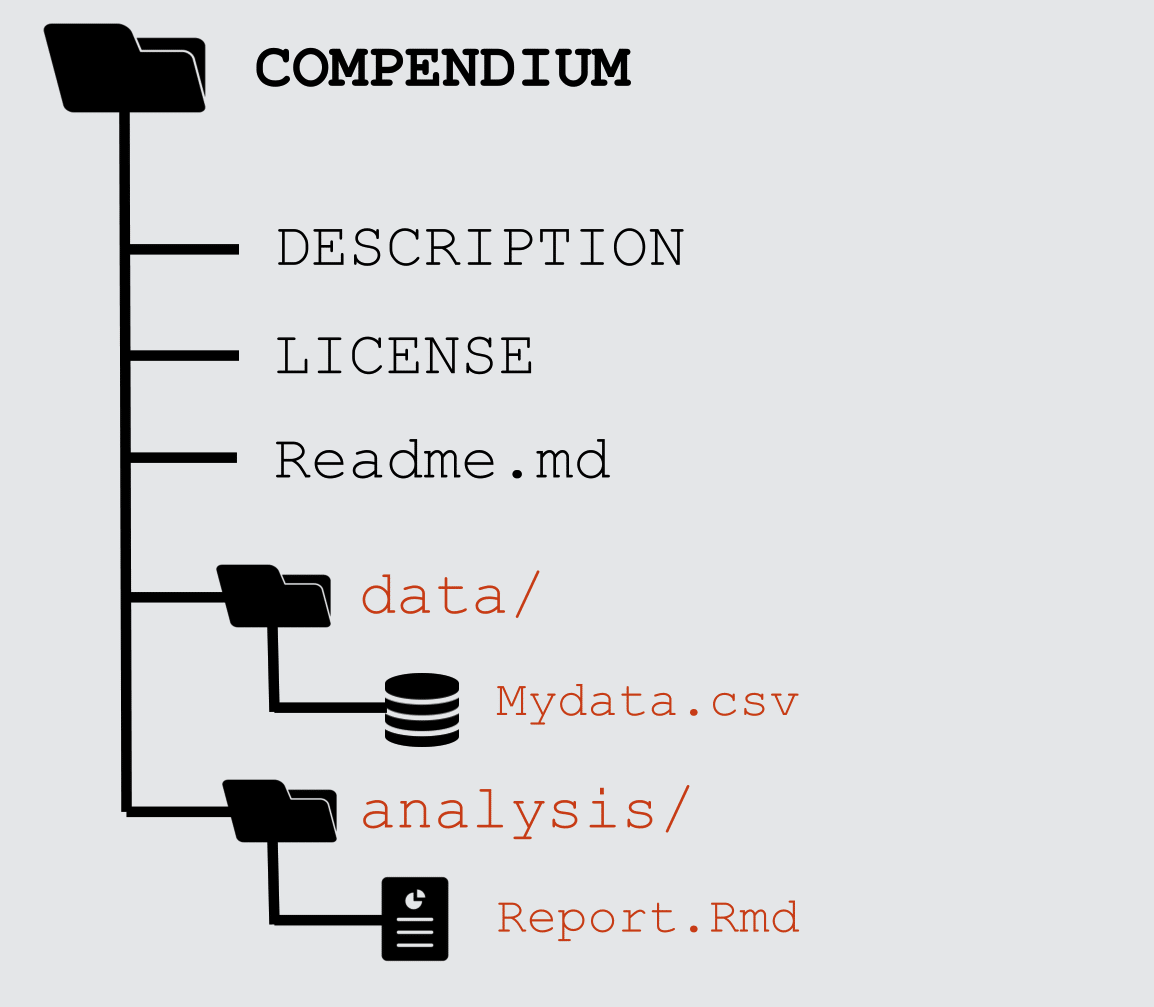
The concept of a Research Compendium

” …We introduce the concept of a compendium as both a container for the different elements that make up the document and its computations (i.e. text, code, data, …), and as a means for distributing, managing and updating the collection.”

Gentleman and Temple Lang, 2004

Research compendia in R

Example compendium

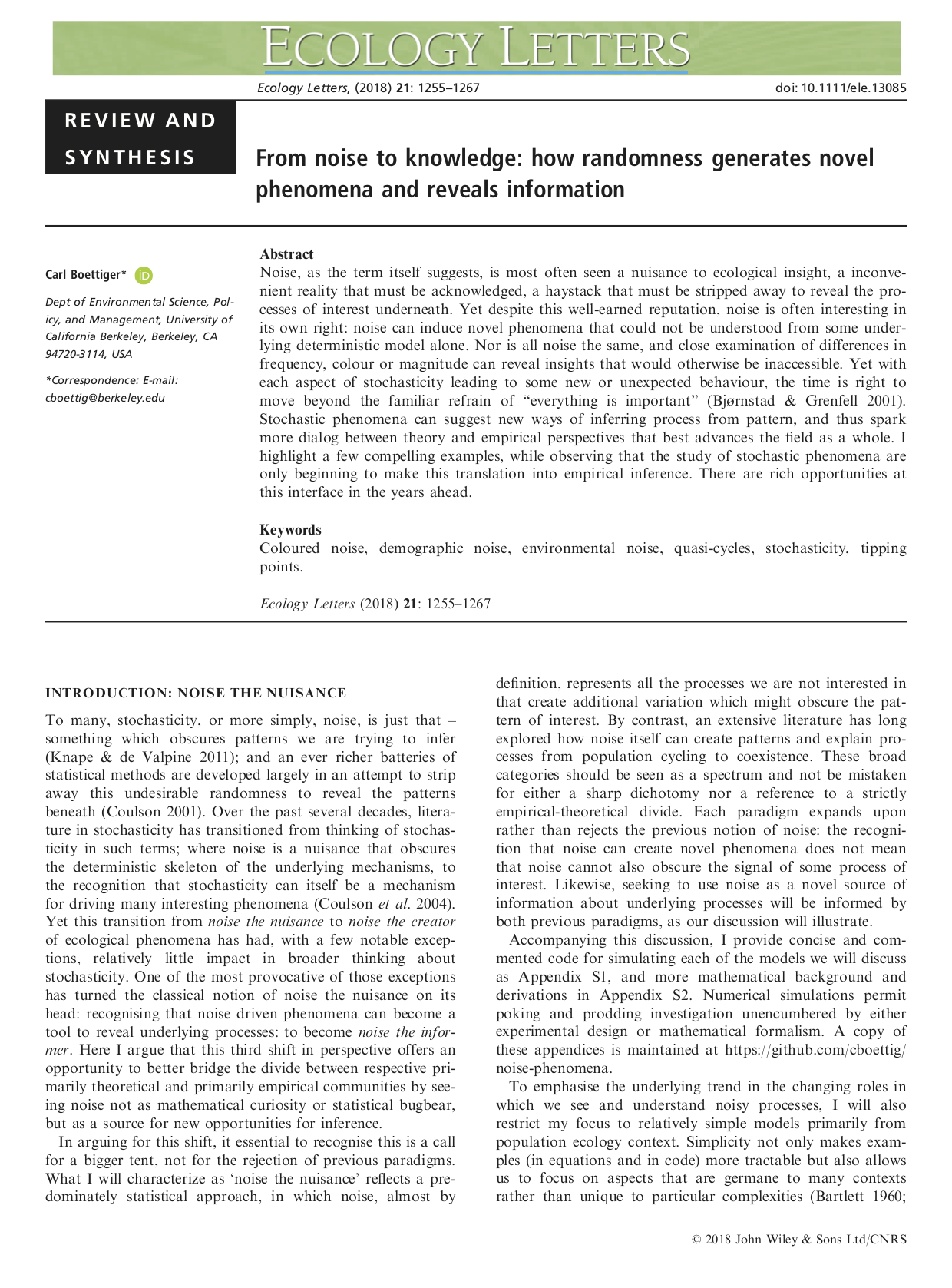
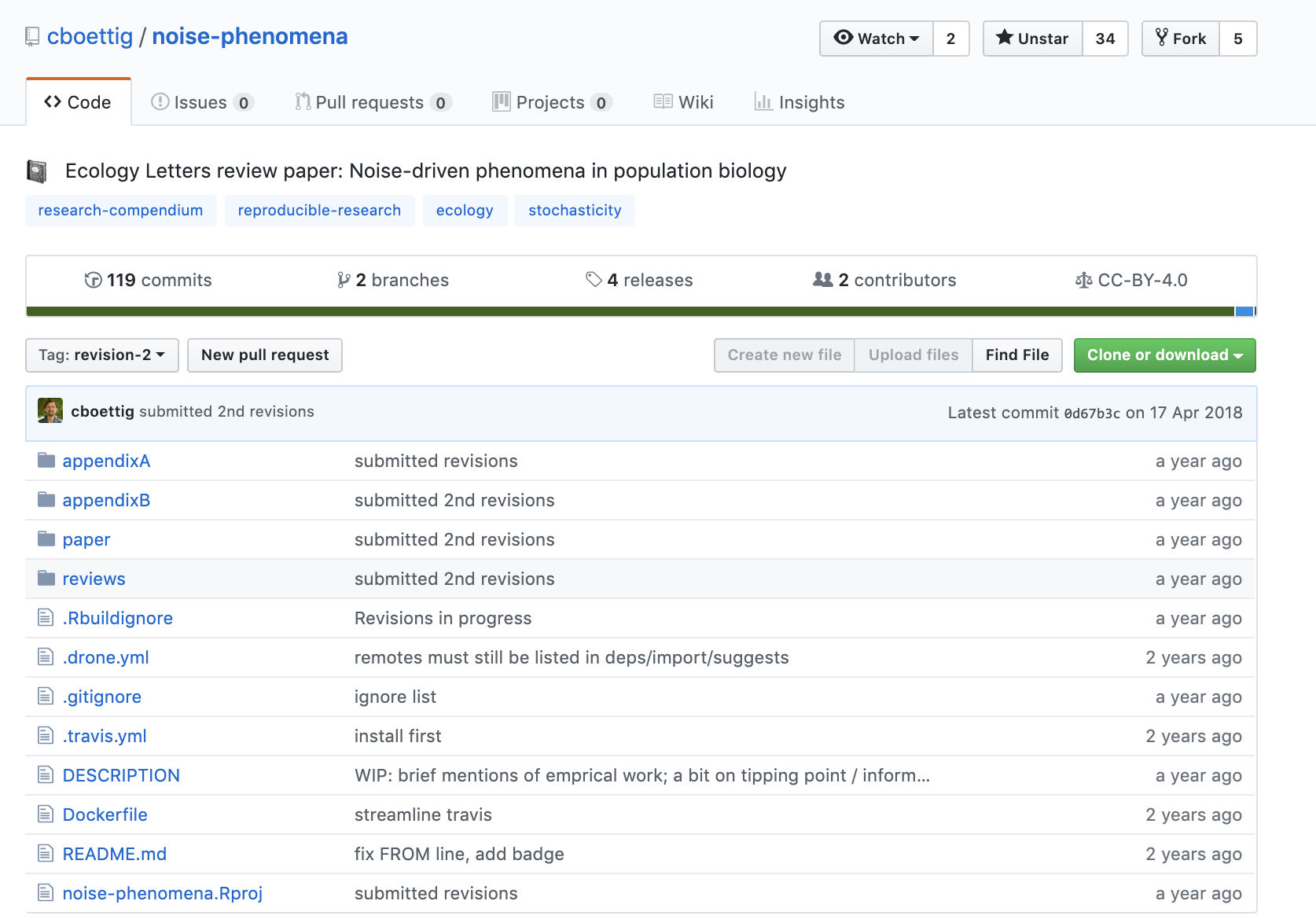
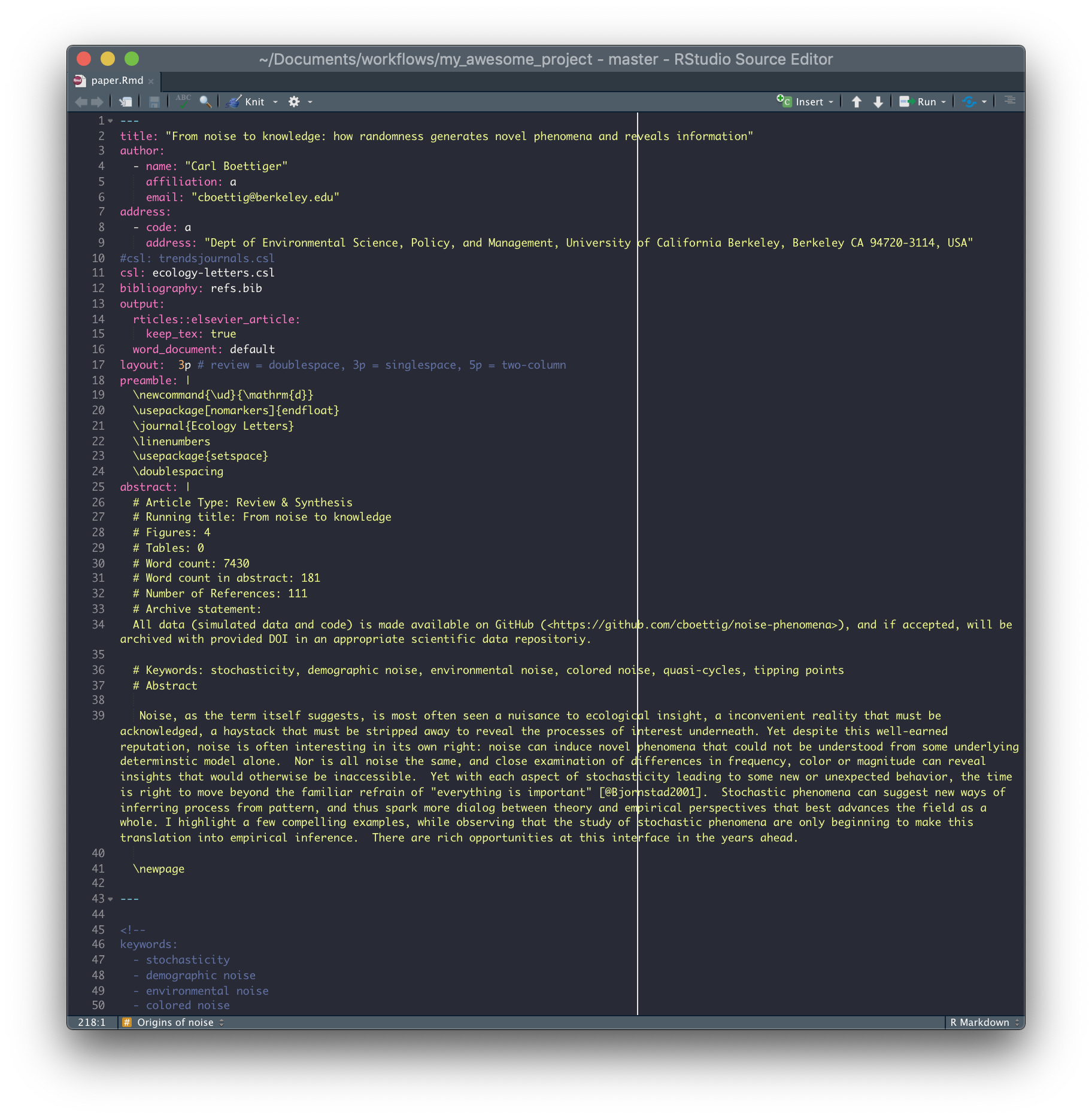
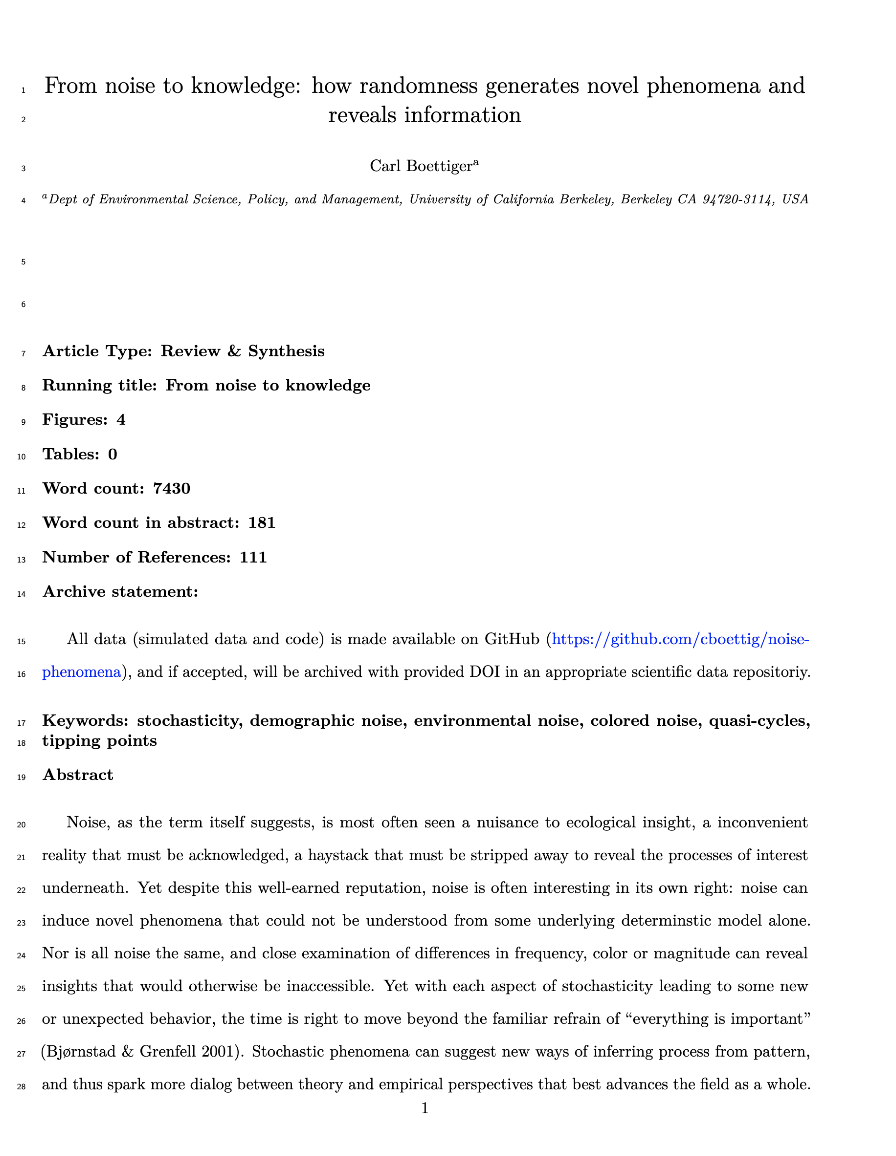
Paper:

Boettiger, C. (2018) From noise to knowledge: how randomness generates novel phenomena and reveals information. https://doi.org/10.1111/ele.13085

Compendium

cboettig/noise-phenomena: Supplement to: “From noise to knowledge: how randomness generates novel phenomena and reveals information” http://doi.org/10.5281/zenodo.1219780

rrtools: Creating Compendia in R

“The goal of rrtools is to provide instructions, templates, and functions for making a basic compendium suitable for writing reproducible research with R.”


Install rrtools from GitHub

# install.packages("devtools")
devtools::install_github("benmarwick/rrtools")


Create a research compendium

Based on R package structure

library(rrtools)
use_compendium("myproject")
use_readme_rmd()
use_analysis()
add_dependencies_to_description()

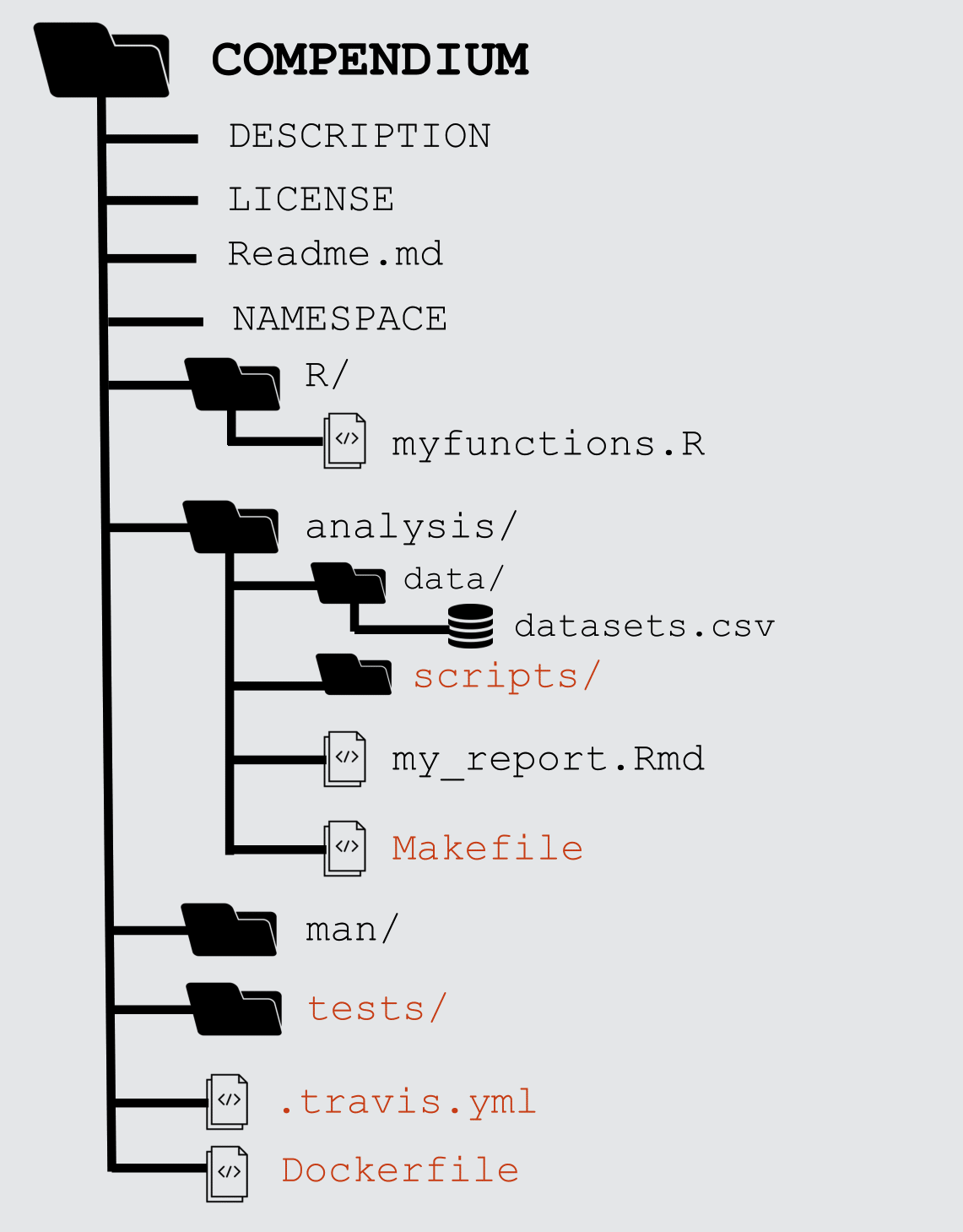
R compendium structure

.
├── CONDUCT.md
├── CONTRIBUTING.md
├── DESCRIPTION
├── LICENSE
├── LICENSE.md
├── NAMESPACE
├── README.Rmd
├── README.md
├── analysis
│   ├── data
│   │   ├── DO-NOT-EDIT-ANY-FILES-IN-HERE-BY-HAND
│   │   ├── derived_data        # data generated during the analysis
│   │   └── raw_data            # data obtained from elsewhere
│   ├── figures                 # location of the figures produced by the qmd
│   ├── paper
│   │   ├── paper.qmd           # this is the main document to edit
│   │   └── references.bib      # this contains the reference list information
│   ├── supplementary-materials
│   └── templates
│       ├── author-info-blocks.lua
│       ├── journal-of-archaeological-science.csl
|       |                       # this sets the style of citations & reference    
|       |                       # list
│       ├── pagebreak.lua
│       ├── scholarly-metadata.lua
│       ├── template.Rmd
│       └── template.docx       # used to style the output of the paper.qmd
└── myproject.Rproj

paper.qmd to paper.pdf

Rmd

pdf

Reproducible Computational Environments

Why isn’t sharing code always enough?

Case Study: Sharing a Geospatial Analysis in R

On a computer without System Library GDAL


package ‘rgdal’ successfully unpacked 
and MD5 sums checked

configure: gdal-config: gdal-config
checking gdal-config usability... ./configure: 
line 1353: gdal-config: command not found
no
*Error: gdal-config not found
...
*ERROR: configuration failed for 
package ‘rgdal’

slide: Karthik Ram: rstudio::conf 2019 talk

What are Docker containers?

standardized units of software

package up everything needed to run an application: code, runtime, system tools, system libraries and settings in a lightweight, standalone, executable package

What are Docker containers?

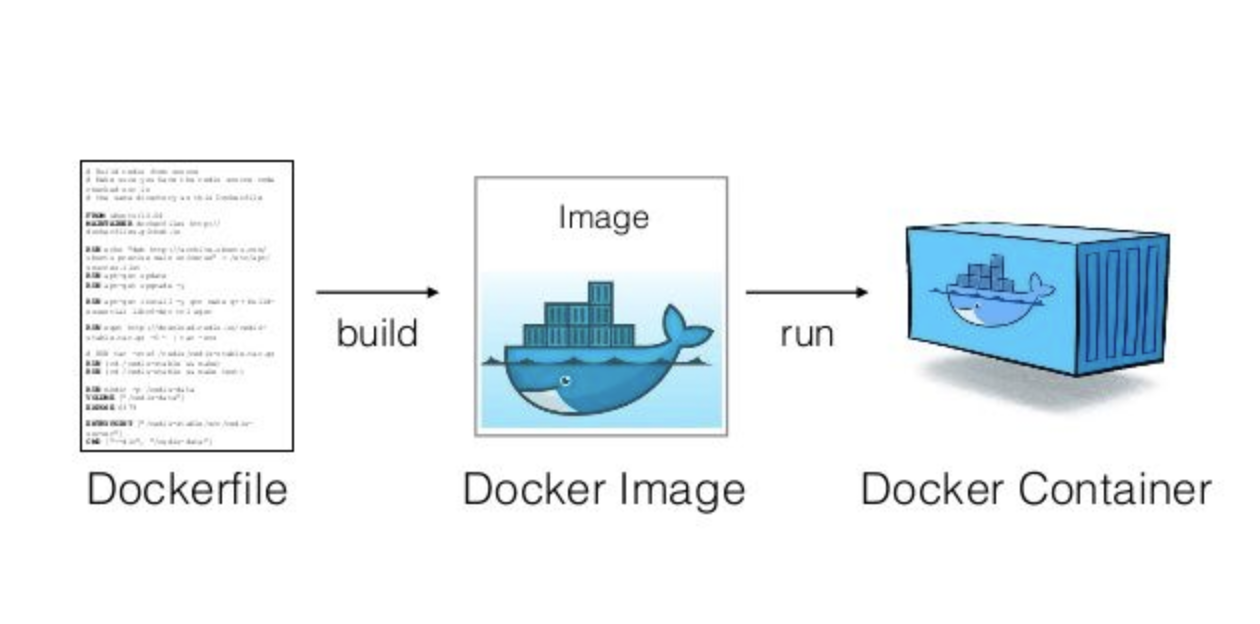
  • Dockerfile: Text file containing recipe for setting up computation environment.

  • Docker Image: Executable built from the Dockerfile with all required dependencies installed. Can have many images from the same Dockerfile.

  • Docker Container: Docker Images become containers at runtime

Rocker on DockerHub

using the rocker/geospatial Docker Image ✅
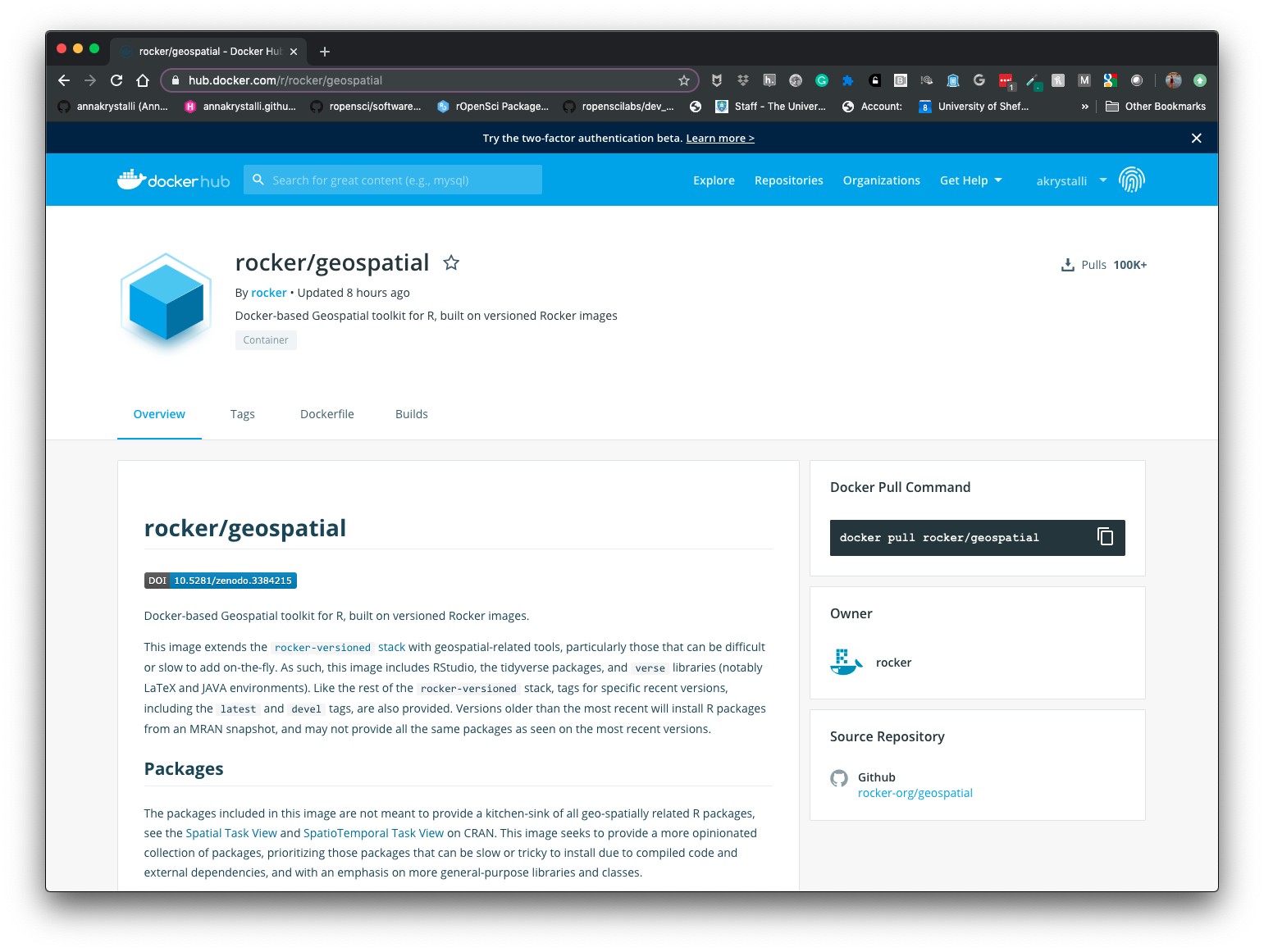

Karthik Ram: rstudio::conf 2019 talk

Karthik Ram: rstudio::conf 2019

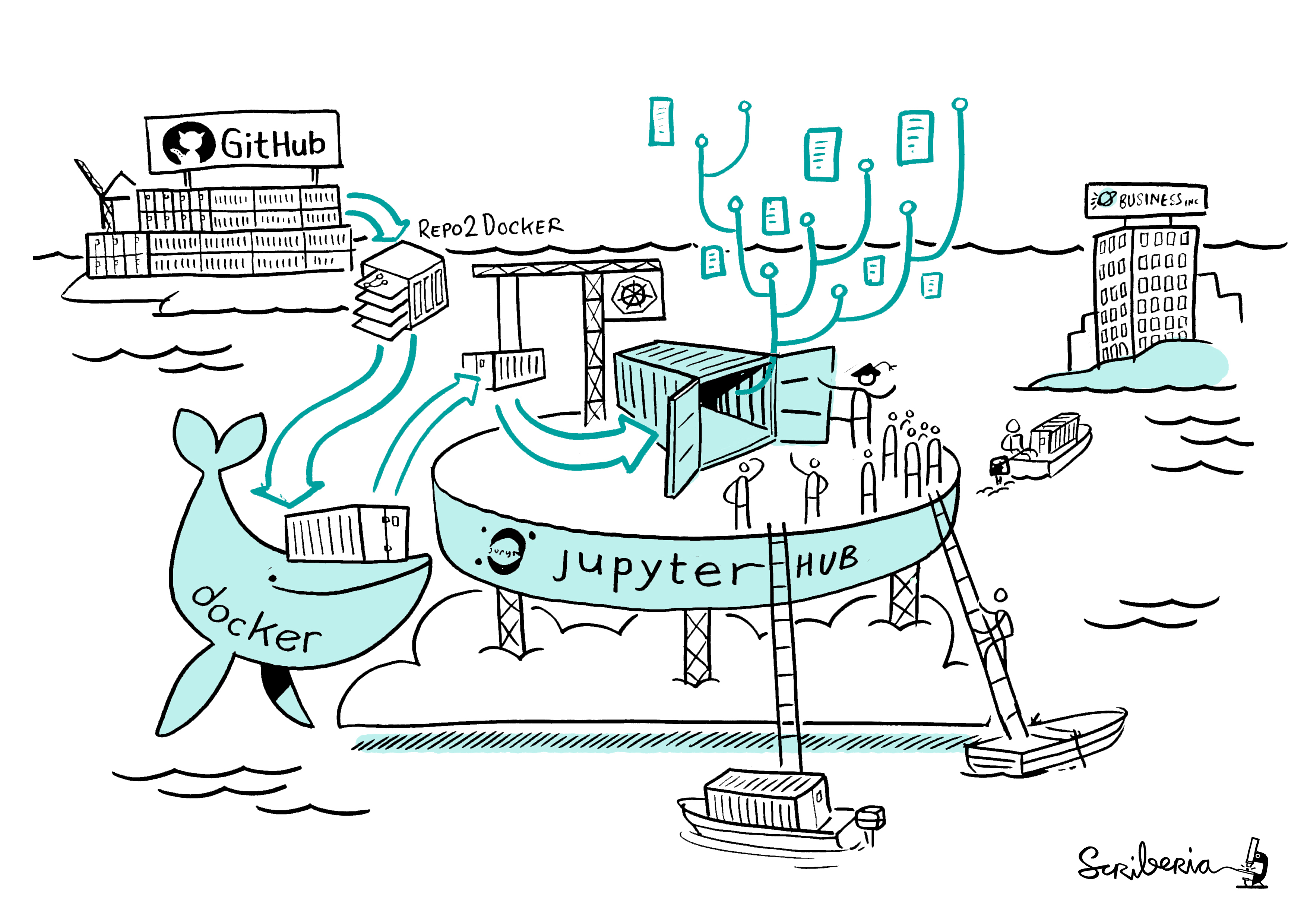
Binder

https://mybinder.org/

Bring your code repositories to life!
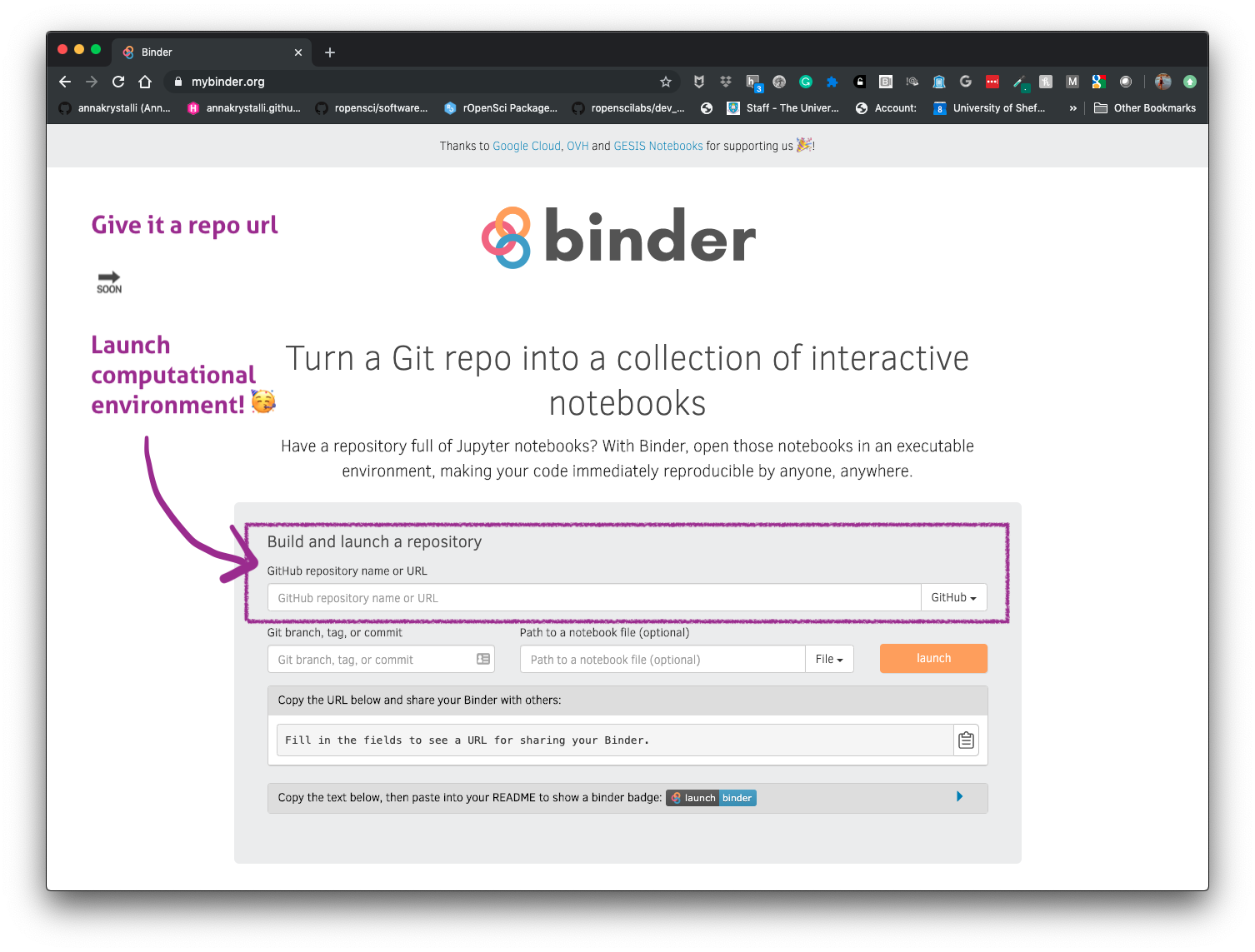
Capturing Computational Environments for R projects

  • Create Dockerfile w/ rrtools

    rrtools::use_dockerfile()
  • 📦 containerit packages R script/session/workspace and all dependencies as a Docker container by automagically generating a suitable Dockerfile

    # From session Info
    containerit::dockerfile(from = utils::sessionInfo())
    # From file
    containerit::dockerfile(from = "inst/demo.Rmd",
                                            image = "rocker/verse:3.5.2",
                                            maintainer = "Anna K",
                                            filter_baseimage_pkgs = TRUE)
  • Binderise your R projects

Further Resources on Reproducibility in R

Version Control

RMarkdown

R Packages

Research Compendia

Docker & Binder

Tutorials

MBA Courses Coming up!

👋 Thanks for 👀

Questions